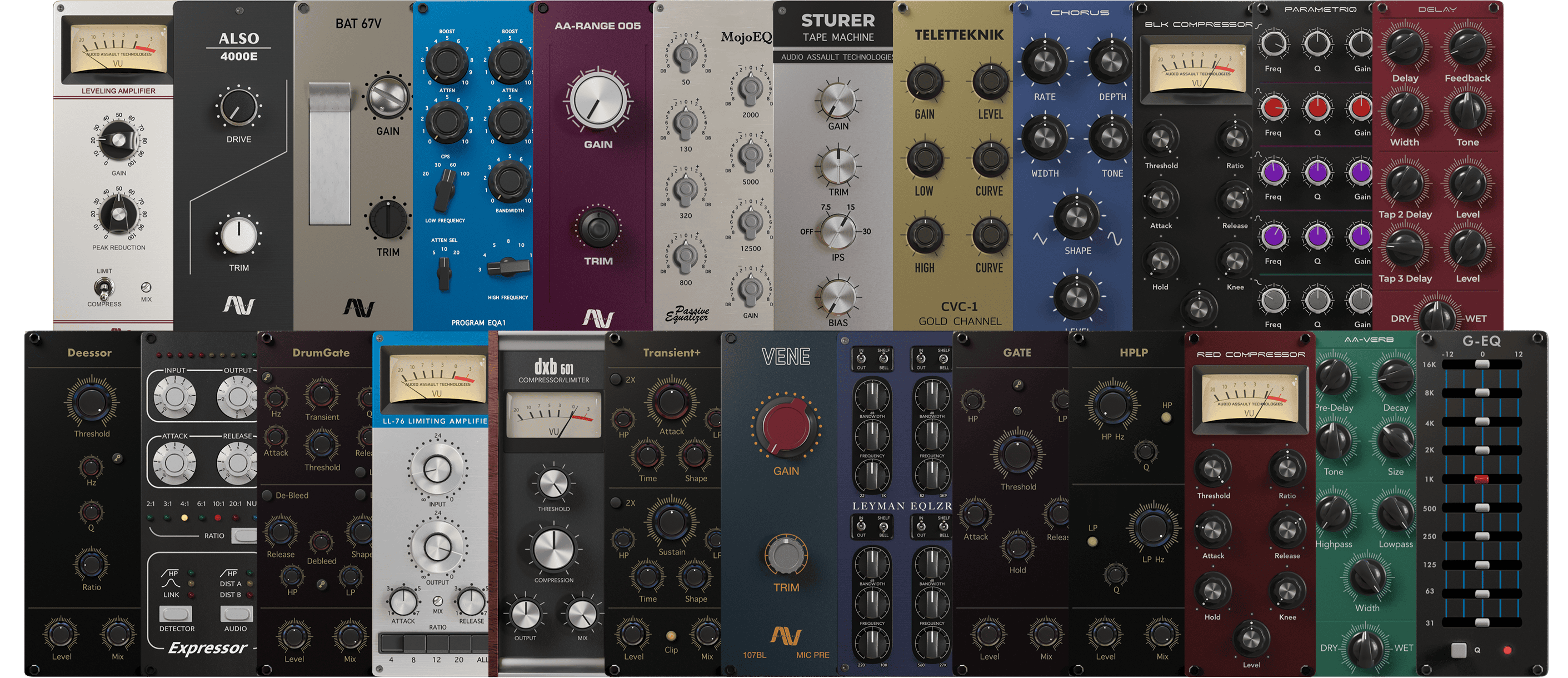
Mix Locker is our all-in-one solution that seamlessly integrates into your recording setup, enabling you to quickly find the best sound for your mixes.
Shape your sound with a vast selection of virtual studio gear, opening up almost endless avenues for musical creativity. Immerse yourself in the tones of iconic studio gear recreated in the digital realm
All Mix Locker Modules Also Work With Amp Locker!
Free Virtual Gear
Mix Locker comes with free gear to get you started:
Tired of shitty audio you can barely hear? The new FxSound boosts sound quality, volume, clarity and bass on your PC. FxSound gives you amazing sound with just a download. Once you try FxSound, you'll know if it's for you. Most people don't know what they're missing in their sound until they try better audio software/hardware. It's hard to convey without actually experiencing it for yourself.
- Perfect sound on any hardware
- Computer speakers and cheap headphones suck...
- And a good setup is overpriced and complicated.
- FxSound gives you amazing sound with just a download.
Amazing sound for everything you listen to
Music
FxSound corrects the limitations of your audio devices and files.
Video Games
Get lost in your world. Never miss a footstep, ping, or voice line again.
TV and Movies
Never strain to hear dialog or get your ears blown out by the sound effects or score again. FxSound smooths and improves your favorite shows and movies.
Transcription
FxSound boosts your clarity to save your sanity. Rewind less, get paid more.
And more for those who want it...
EQ
Here's the thing... No two ears are the same. Not all hardware is made equal. Our new 20-band equalizer balances your sound to your needs.
Visualizer
Make audio and visual one blended experience. Our visualization lets you feel your music in a new way.
Effects
If you like a lot of bass, we've got you covered. But we can't take responsibility from any noise complaints from your neighbors ;)
Presets
Switch between listening to music, gaming, and streaming video in an instant with specially designed presets for every possible sound situation.
What's new: v1.1.30.0
Fixed the issue of taskbar icon color not changing after application window restore
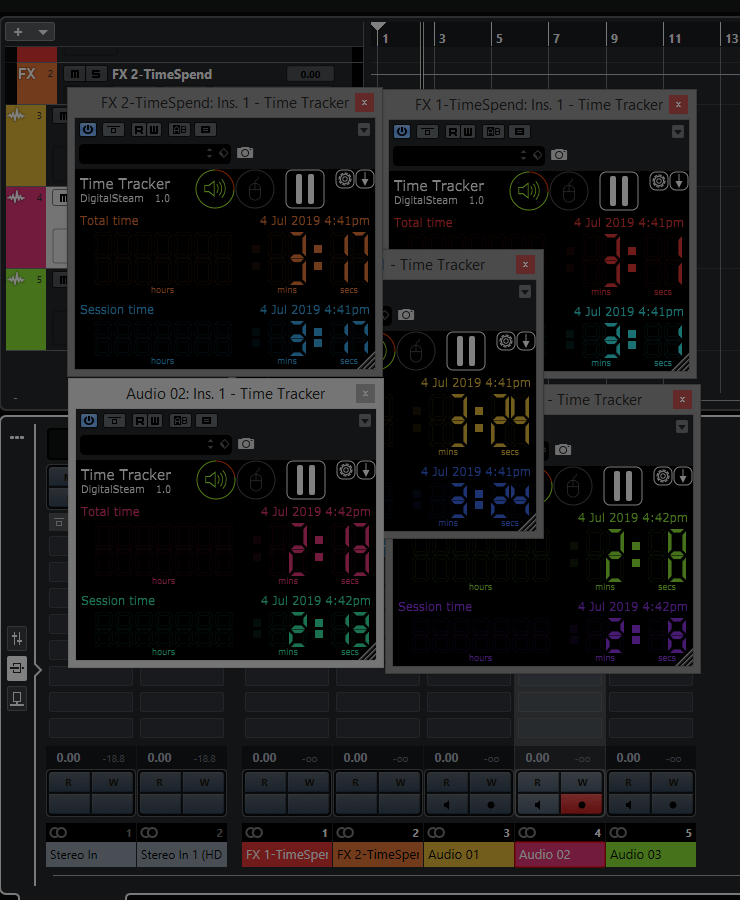
Time Tracker helps you to measure time spend on a DAW project.
Add it as a last effect on main bus track and forget till you need to check how long you are working. Tracking can be auto or manually paused. You can assign a MIDI event to a pause button. You can of course add as many instances on any track you want.
Variety of Sound releases FeenstaubTC free tube compressor plugin
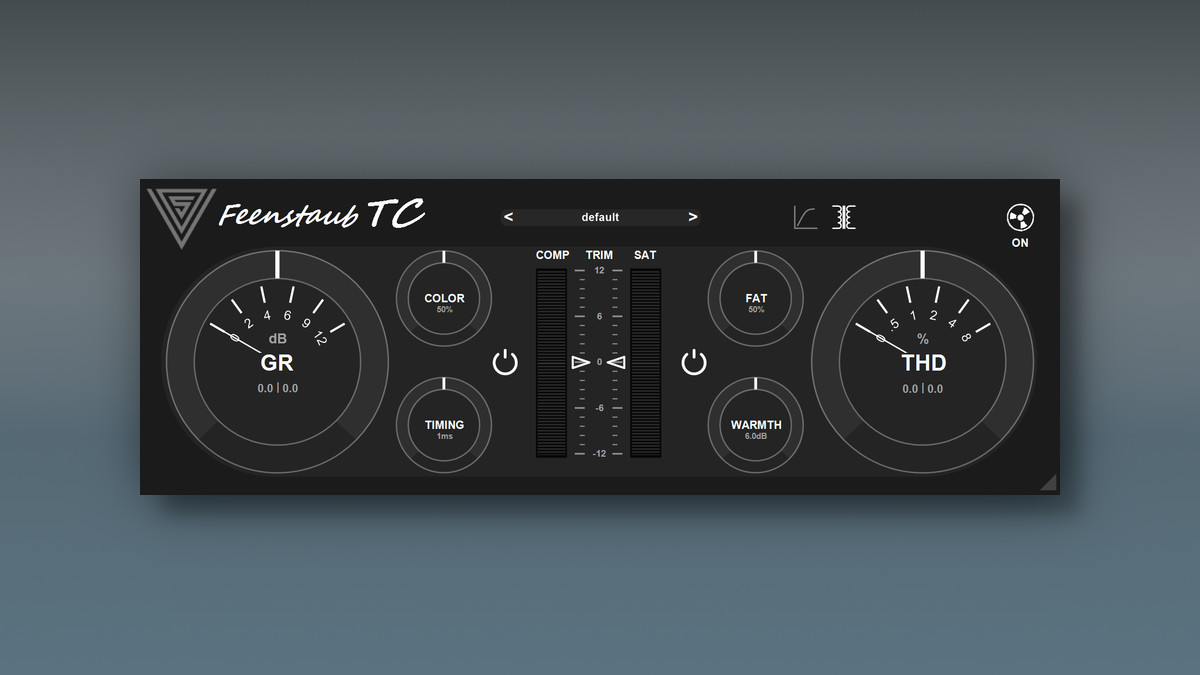
Variety of Sound has introduced a new audio effect plugin that is designed to capture the unmistakable warm yet powerful sound of classic tube compression in all its facets and detail.
Taking things a step further, FeenstaubTC combines state-of-the-art technology with a loving nod to the great classics of compression, to capture the magical essence of days gone by.
The compressor integrates the extraordinary saturation and coloration characteristics of classic tape machines and seamlessly blends them into the compression process. The two come together in a well-balanced interplay of smooth but powerful dynamics processing and the unique tape saturation character that not only shapes the sound, but also adds depth and dimension.
FeenstaubTC features:
Variable-Mu compression for smooth, musical dynamics.
Intuitive and effortless timing control.
Tape-style saturation and harmonic coloration.
Transformer coupled circuit design.
Seamless blending of compression, saturation, and tone shaping.
The plugin is available to download for free in VST/VST3 formats for Windows.
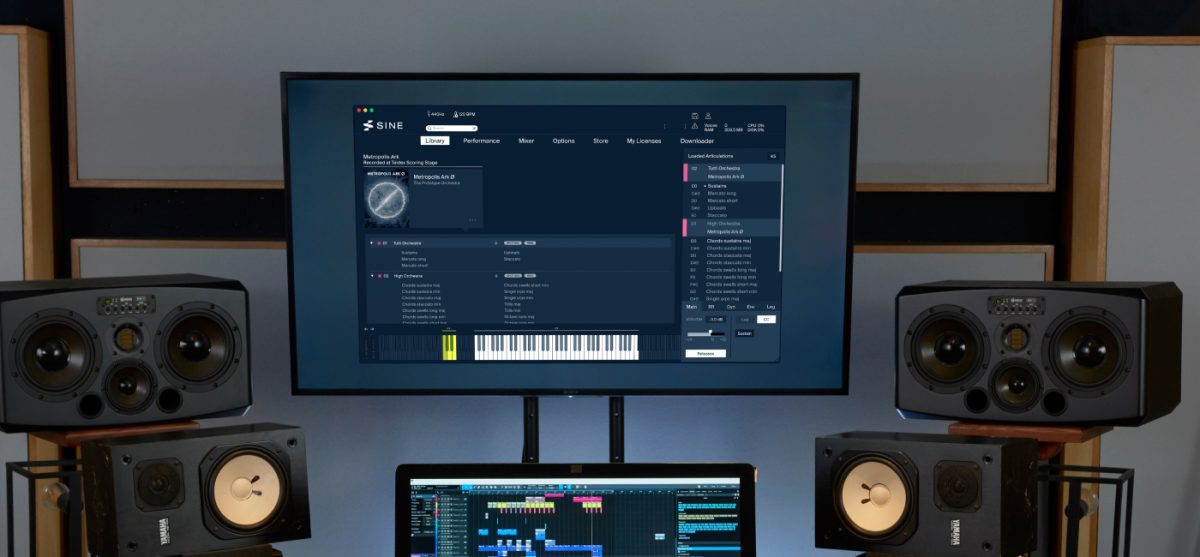
Orchestral Tools has announced an update to its SINE player engine for Windows and Mac.
Changes in SINE v1.3.3
macOS ARM: Resolved crackles and pops on ARM-based macs.
Loading instruments requiring a newer SINEplayer version will show a message alerting the user what to do.
Prevented a possible crash when loading instruments requiring a newer SINEplayer version.
Logging while mic merging has been expanded.
The search feature in the Library will sort the results by relevance.
The SINEplayer is free to download in VST/VST3, AU and AAX plugin formats and as standalone software for Windows and Mac. It comes with the free SINEfactory library, which includes an array of useful instruments such as piano, strings, percussion, and more.
System Requirements
Mac
macOS 10.13 or higher
Intel Core i5 or similar; Apple M1 or higher.
8GB RAM (16GB+ recommended)
Windows
Windows 10 64bit
Intel Core i5 or similar
8GB RAM (16GB+ recommended)
General Notes
A lower number of higher-clocking cores are better than a higher number of lower-clocking cores.
A base frequency of 3.6 Ghz or higher works best.
If your CPU is from before 2012, please first check with the free Layers collection if your CPU supports SINEplayer! First generation Intel Core CPUs, AMD Phenom II, and similar older CPUs from earlier than 2012 might be missing specific instruction sets.
We strongly recommend SSD drives over regular HDD for the best performance results.