VYNIL DRUMS: a simple Dance Funky drums for Kontakt.
Suport me using usersdrive links! Thanks!
VYNIL DRUMS: a simple Dance Funky drums for Kontakt.
Suport me using usersdrive links! Thanks!

Reverb & Delay Calculator calculating reverb & delay calculations and even release time usage. With the Synchronized with DAW feature , you can simply load any Stereo Insert and the calculation results will appear immediately.
Product Features
- Synchronized with DAW
- Automatic Calculation
-Simple & Easy to use
Windows 7, 8, 10 (latest update) or later MacOS 10.12, 10.13, 10,14 or 10.15 (latest update), i5
4GB RAM minimum (8GB+ recommended)
1GB minimum free hard drive space
1920 x 1080 pixel screen resolution (recommended)
Supported Plugin Format
VST3, AU
https://usersdrive.com/w6765fqvc0xm.html
https://polarityaudio.com/product/reverb-delay-calculator/
Suport me, use usersdrive links please!
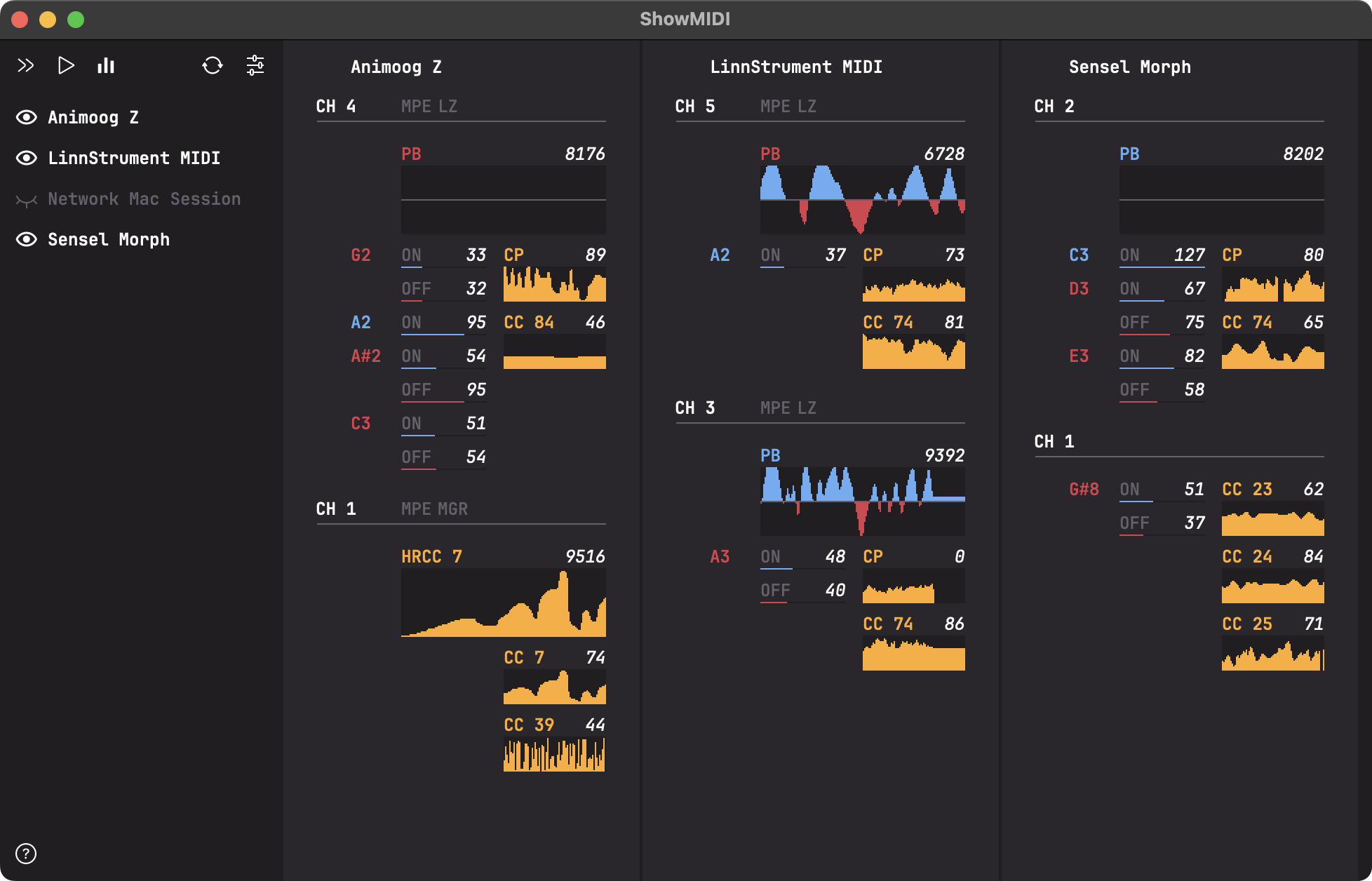
ShowMIDI is a multi-platform GUI application to effortlessly visualize MIDI activity. This application fills a void in the available MIDI monitoring solutions.
Instead of wading through logs of MIDI messages to correlate relevant ones and identify what is happening, ShowMIDI visualizes the current activity and hides what you don't care about anymore. It provides you with a real-time glanceable view of all MIDI activity on your computer.
Uwyn ShowMIDI (MiDi Activity Monitor Plugin) v1.0.1 VST VST3 AU CLAP LV2 STANDALONE LiNUX WiN MAC [FREE] screenshot
Usage:
To use it, simply double-click the application to launch it.
To pause the MIDI data stream, press the spacebar, to un-pause, press it again.
The plugin versions can be used in any DAW that supports MIDI effect plugins. Some plugin formats, like VST3, might filter out certain MIDI messages and not present a fully accurate view.
This application fills a void in the available MIDI monitoring solutions.
Instead of wading through logs of MIDI messages to correlate relevant ones and identify what is happening, ShowMIDI visualizes the current activity and hides what you don't care about anymore. It provides you with a real-time glanceable view of all MIDI activity on your computer.
https://usersdrive.com/d2ze2j94znjl.html
https://github.com/gbevin/ShowMIDI
Suport me, use usersdrive links please!


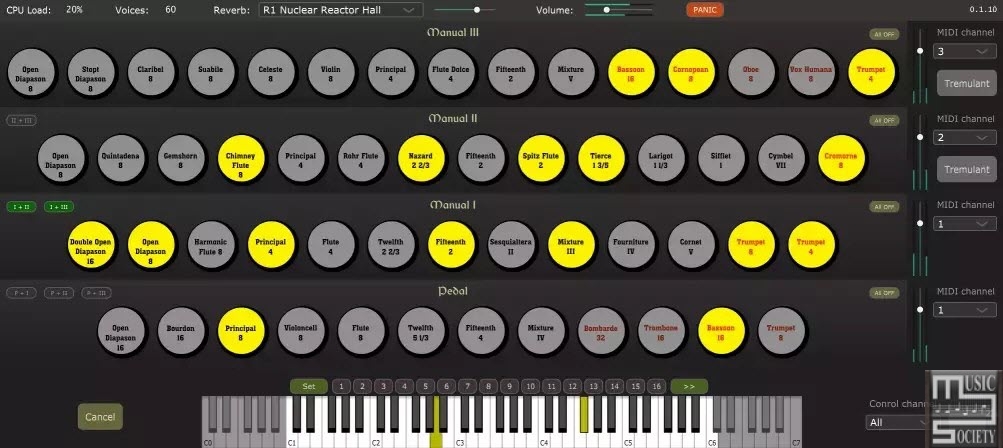
This project leverages the wavetable systhesis part of the original Aeolus, improves on it, and delivers it as a standard VST plugin using JUCE framework, so that it can be run in Windows/macOS VST3/AU hosts.
This implementation contains additional improvements to the sound generation including:
The original binary format for the pipe models and the organ configuration has been translated (partially) to JSON.
MIDI Control:
Sequencer steps are controlled via the program change messages sent on the control MIDI channel (program 0 corresponds to the first step of the sequencer, 1 – to the second and so on).
In a DAW you may use Program parameter to control the sequencer steps. Another way to control the sequencer is via key switches (MIDI notes). The default configuration uses keys 22 and 23 to control the sequencer.
CCs:
CC 1 modulation wheel enables/disables tremulant
CC 7 controls the global volume (on the control MIDI channel) and the volume of each division which has swell config flag enabled (on the swell MIDI channel)
CC 91 controls the reverb output level
CC 98 Stops control
👉 The stops control follows the original Aeolus convention. The control mode is set by the message 01mm0ggg, where mm is the control mode, and ggg is the control group (division number, counter from the top starting from 0). Control modes are:
00 Disable the division (all stops are off)
01 Set stop off
10 Set stop on
11 Toggle
Once the control message is received the value of the format 000bbbbb will execute the selected control mode action on specified stop buton bbbbb, counted from 0.
Custom organ configuration:
Custom organ configuration will be loaded by the plugin if found at Documents/Aeolus/organ_config.json location.
👉 The Documents folder’s exact location depends on the operating system and the user profile.
To create the organ_config.json start with default one embedded into the plugin by copying it to Documents/Aeolus folder and renaming to organ_config.json.
It is also possible to use custom pipe configs in .ae0 or .json format. These have to be placed to the Documents/Aeolus folder for then can be referenced from the organ_config.json (use pipe file name without the extension in the“pipe“attribute of the organ_config.json).
Multibus output:
When compiled with the WITH_MULTIBUS_OUTPUT CMake option enabled, the generated plugin will ouput to the 8 separate monofonic buses. Each bus corresponds to the pipes groups placement in space according to the internal horizontal arrangement of the pipes.
In multibus configuration there is no reverb applied, and there is no spatialization performed.
👉 The multibus mode is indended for the object based mixing, where you could place individual pipe groups in space yourself and apply a reverb of your preference.
Pipes are arranged starting from the lowest key from the sides (buses 0 and 7) to the center in the middle of the range (buses 3, 4), and then going back from the centre towards the sides. For the pedal pipes, they go from the outside towards the centre only.
Corresponding pipe position jumps between left and right following the keys (C will be on the left, C# on the right, D of the left, D# on the right and so on).
👉 This very same pipes spatial arrangement is used in the stereo version of the plugin to perform spatialized rendering followed by a stereo convolutional reverb.
https://github.com/Archie3d/aeolus_plugin?tab=readme-ov-file
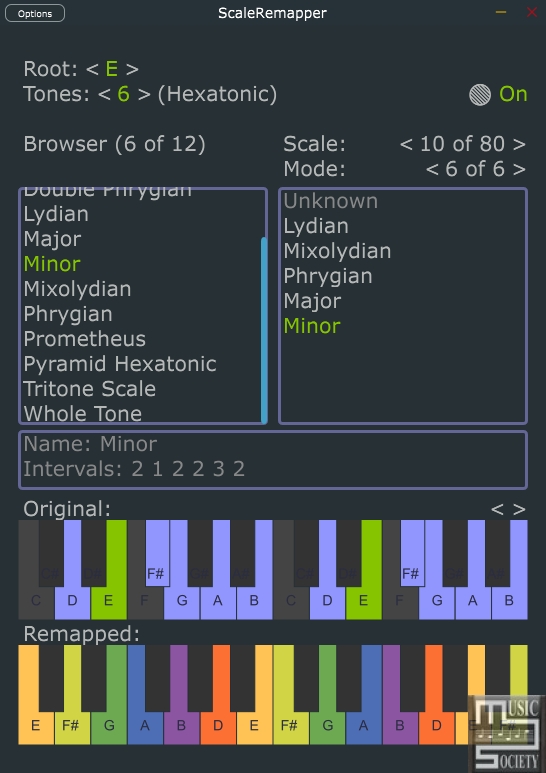
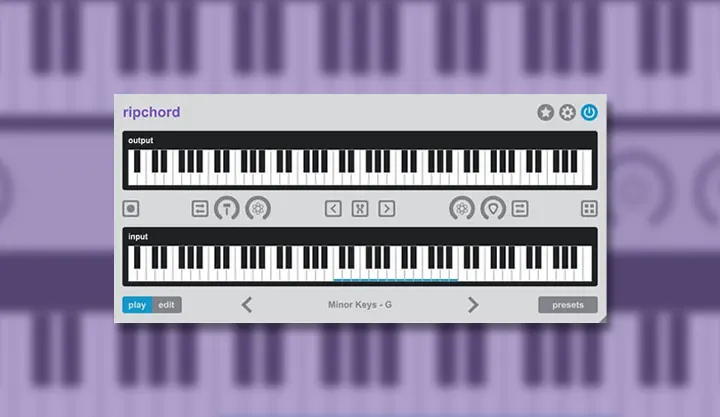
Routes white keys from midi-input to chosen scale to midi output
Midi only plugin. Remaps white keys of the standard midi-keyboard to any possible music scale.
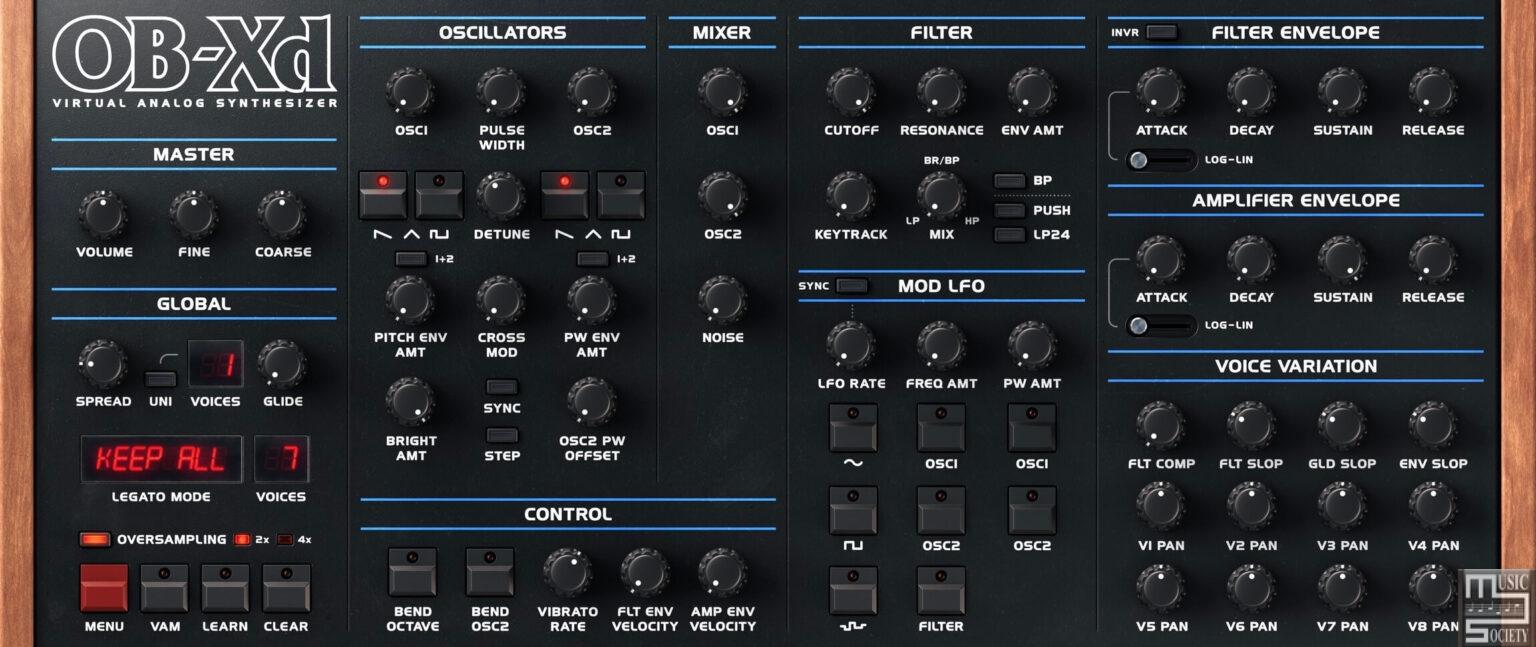
OB-Xd is a classic synthesizer with a timeless sound that continues to captivate musicians and producers alike.
With its rich, full-bodied tones and expansive sound design capabilities, the OB-Xd is the perfect choice for those looking to add a vintage touch to their music. Whether you're producing electronic tracks, recording live instruments, or composing for film and television, the OB-X is an invaluable tool that will bring a unique and expressive quality to your sound. So why wait? Add an OB-Xd to your studio today and take your music to the next level!
The OB-Xd is a synthesizer that has been designed to recreate the sound and behavior of the Oberheim OB-X.
However, the original design of the OB-X was limited in some ways, so the OB-Xd includes a number of additional or altered features. One key feature of the OB-Xd is its implementation of micro random detuning, which helps to create a fuller, richer sound. Overall, the OB-Xd has been designed to produce a sound that is as good and as rich as the original OB-X.
Overview:
While not copying originals, some of the features were taken to a better point. Continuous blendable multimode filter (HP-Notch(BP)-HP in 12 dB mode and 4-1 pole in 24 dB mode). Also, like many synths of the OB-X's generation, the OB-Xd has no internal effects so its sounds and textures can be greatly enhanced by the use of additional processing like chorus, reverb, delay, etc.
Additionally, for those interested in micro-tuning, the OB-Xd comes equipped with support for MTS-ESP. This allows for more granular control over your tuning adjustments, perfect for the discerning synth musician.
Free version includes fully functional Standalone app, Audio Unit and VST plug-ins. Registered version delivers both 2.x and 3.x commercial rights1, AAX, VST3, and LV2 plug-ins and technical support to help you get the most out of the software.
System Requirements:
PC: Windows 7 or a newer version.
Mac: macOS High Sierra or a newer version. Works on both x86 and ARM.
Linux: Ubuntu 18 or a newer version.
On Windows and macOS, a one-time internet connection is required to activate the software license. After this, users can use the software offline.
Optimal performance requires an Intel Core i3 (x86) or higher, an Apple Silicon M series (ARM), and a minimum of 4 GB RAM.
The free version of OB-Xd is fully functional, with no major limitations on its features, but it prohibits commercial use.
Free version includes fully functional Standalone app, Audio Unit and VST plug-ins.
https://www.discodsp.com/obxd/
KVR Audio has announced that all entries of its 2026 Developer Challenge are now available to download as the voting stage of the 10th edi...