domingo, novembro 10, 2024

The MIDI Association MIDI 2.0 Specifications (Complete) PDF [FREE]


MIDI 2.0 is an extension of MIDI 1.0. It does not replace MIDI 1.0 but builds on the core principles, architecture, and semantics of MIDI 1.0.

A foundational architecture for MIDI 2.0 expansion is defined by the MIDI Capability Inquiry (MIDI-CI) specification. MIDI-CI allows Devices with bidirectional communication to agree to use extended MIDI capabilities beyond those already defined in MIDI 1.0, while carefully protecting backward compatibility.

MIDI 2.0 is not a stand-alone specification. Manufacturers and developers must have a thorough understanding of MIDI 1.0 in order to implement MIDI 2.0.

MIDI 2.0 Core Specifications:

These documents make up the MIDI 2.0 Core Specifications. Please click on individual name to access details for document:

  • MIDI 2.0 Specification Overview

  • MIDI Capability Inquiry (MIDI-CI)

  • Common Rules for MIDI-CI Profiles

  • Common Rules for MIDI-CI Property Exchange

  • Universal MIDI Packet (UMP) Format an MIDI 2.0 Protocol

  • MIDI Clip File Specification (SMF format for UMP)

Protocol

The MIDI 2.0 Protocol is an extension of the MIDI 1.0 Protocol. Architectural concepts and semantics remain the same as MIDI 1.0. Compatibility for translation to/from the MIDI 1.0 Protocol is given high priority in the design of the MIDI 2.0 Protocol.

Compared to the MIDI 1.0 Protocol, MIDI 2.0 Protocol messages have extended data resolution for all Channel Voice Messages. New properties have been added to some Channel Voice Messages, and new Channel Voice Messages have been added with greatly improved Per-Note control and much more musical expression.

Property Exchange

Property Exchange is part of the MIDI Capability Inquiry (MIDI-CI) specification and MIDI 2.0. Property Exchange is a method for getting and setting various data, called Resources, between two Devices. Resources are exchanged inside two payload fields of System Exclusive Messages defined by MIDI-CI, the Header Data field and Property Data field. This document defines only the contents of the Header Data and Property Data fields. For information on how to transmit and receive these Resource payloads inside MIDI-CI System Exclusive messages, see the MIDI Capability Inquiry specification and Common Rules for MIDI-CI Property Exchange specification.

Profiles

A Profile is a defined set of rules for how a MIDI receiver device implementing the Profile shall respond to a chosen set of MIDI messages to achieve a particular purpose or to suit a particular application.

Included:

1. MIDI 2.0 Core Specifications

- MIDI 2.0 Specification Overview

- MIDI Capability Inquiry (MIDI-CI)

- Common Rules for MIDI-CI Profiles

- Common Rules for MIDI-CI Property Exchange

- Universal MIDI Packet (UMP) Format an MIDI 2.0 Protocol

- MIDI Clip File Specification (SMF format for UMP)


2. Protocol

- Universal MIDI Packet (UMP) and MIDI 2.0 Protocol Specification

- MIDI 2.0 Bit Scaling and Resolution

3. Property Exchange

- Core Property Exchange

- Property Exchange Foundational Resources

- Property Exchange Channel Resources

- Property Exchange Programlist Resource

- Midi-ci Property Exchange Controller Resources

- Property Exchange Get And Set Device State

- Property Exchange Mode Resources

- Common Rules For Midi-CI Property Exchange

- Property Exchange Localon Resource

- Property Exchange Externalsync Resource

4. Profiles

- Common Rules For Midi-ci Profiles

- Midi-CI Profile: Default Control Change Mapping

- Midi-CI Profile For Midi Polyphonic Expression

- Midi-CI Profile For Note On Selection Of Orchestral Articulation

- Midi-CI Profile For Drawbar Organs (Single Channel)

- Midi-CI Profile For Rotary Speaker

- Midi-CI Profile For General Midi 2 (Function Block)

- Midi-CI Profile For General Midi 2 Single Channel


home page

https://midi.org/midi-2-0


sexta-feira, novembro 08, 2024

Uma prenda (gift) para os leitores do Musicando!


A gift for Musicando readers!
A mini kit for Kontakt, with shaker and tambourine loops. Finally two Heavy Metal drum loops.

Uma prenda para todos os leitores. Um mini kit para Kontakt, com loops de shaker e tambourine. Por fim dois loops de bateria Heavy Metal.

https://usersdrive.com/7gl1z39bfqy8.html

quarta-feira, novembro 06, 2024


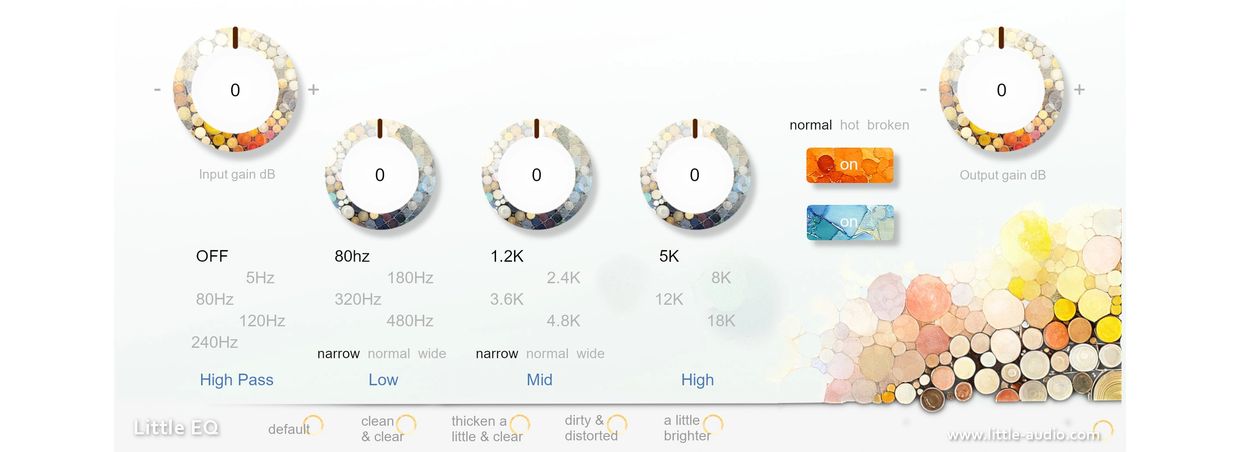
Little EQ is an equalizer plugin that brings to life the sound of a passive filter and an output transformer.

Download for free

Currently, Little EQ is available only on Windows.

Please unzip the file and move LittleEQ.vst3 to "C:\Program Files\Common Files\VST3."


https://little-audio.com/little-eq

terça-feira, novembro 05, 2024

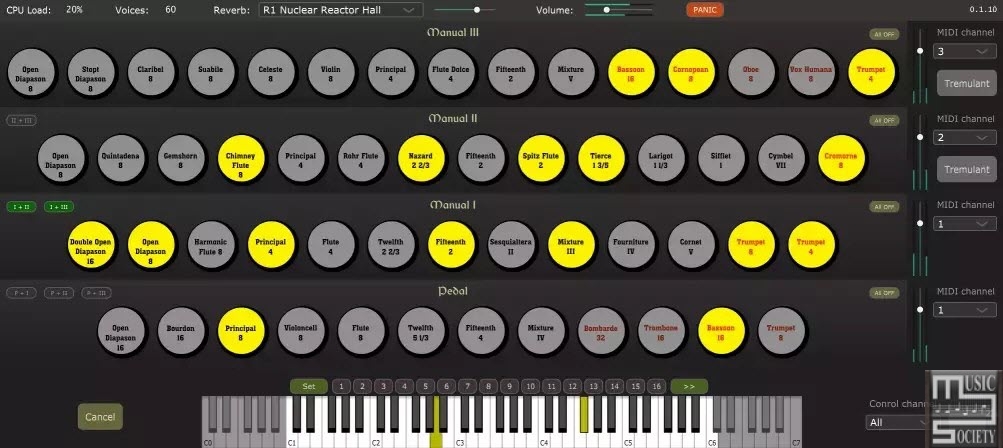
Arthur Benilov Aeolus (Pipe Organ Synthesizer) v0.2.0 x64 VSTI VSTI3 AU Standalone Windows MacOS Linux [FREE]


 Pipe organ emulator using additive synthesis as a VST or AU plugin (or a stand-alone executable).Aeolus was originally developed by Fons Adriaensen and presented in 2004. The original implementation is Linux only and can be found here (or across Linux distribution packages). At present it looks like Aeolus development has been mostly abandoned (but Organnery picked up the original Aeolus project to make it run on a Raspberry Pi).

This project leverages the wavetable systhesis part of the original Aeolus, improves on it, and delivers it as a standard VST plugin using JUCE framework, so that it can be run in Windows/macOS VST3/AU hosts.

This implementation contains additional improvements to the sound generation including:

  • Pipe models can be composed of multiple pipes (to create proper mixtures);
  • Different pipe models can be used across the keyboard compass (this enables mixtures breaking-back);
  • Pipes chiff noise is played on attack;
  • The plugin uses zero delay convolutional reverb with selectable IRs from OpenAir library;
  • Registration presets also act as a sequencer.
  • pipes chiff noise on attack;
  • new pipe models;
  • convolutional reverb.

The original binary format for the pipe models and the organ configuration has been translated (partially) to JSON.

MIDI Control:

Sequencer steps are controlled via the program change messages sent on the control MIDI channel (program 0 corresponds to the first step of the sequencer, 1 – to the second and so on).

In a DAW you may use Program parameter to control the sequencer steps. Another way to control the sequencer is via key switches (MIDI notes). The default configuration uses keys 22 and 23 to control the sequencer.

CCs:

CC 1 modulation wheel enables/disables tremulant

CC 7 controls the global volume (on the control MIDI channel) and the volume of each division which has swell config flag enabled (on the swell MIDI channel)

CC 91 controls the reverb output level

CC 98 Stops control

👉 The stops control follows the original Aeolus convention. The control mode is set by the message 01mm0ggg, where mm is the control mode, and ggg is the control group (division number, counter from the top starting from 0). Control modes are:

00 Disable the division (all stops are off)

01 Set stop off

10 Set stop on

11 Toggle

Once the control message is received the value of the format 000bbbbb will execute the selected control mode action on specified stop buton bbbbb, counted from 0.

Custom organ configuration:

Custom organ configuration will be loaded by the plugin if found at Documents/Aeolus/organ_config.json location.

👉 The Documents folder’s exact location depends on the operating system and the user profile.

To create the organ_config.json start with default one embedded into the plugin by copying it to Documents/Aeolus folder and renaming to organ_config.json.

It is also possible to use custom pipe configs in .ae0 or .json format. These have to be placed to the Documents/Aeolus folder for then can be referenced from the organ_config.json (use pipe file name without the extension in the“pipe“attribute of the organ_config.json).

Multibus output:

When compiled with the WITH_MULTIBUS_OUTPUT CMake option enabled, the generated plugin will ouput to the 8 separate monofonic buses. Each bus corresponds to the pipes groups placement in space according to the internal horizontal arrangement of the pipes.

In multibus configuration there is no reverb applied, and there is no spatialization performed.

👉 The multibus mode is indended for the object based mixing, where you could place individual pipe groups in space yourself and apply a reverb of your preference.

Pipes are arranged starting from the lowest key from the sides (buses 0 and 7) to the center in the middle of the range (buses 3, 4), and then going back from the centre towards the sides. For the pedal pipes, they go from the outside towards the centre only.

Corresponding pipe position jumps between left and right following the keys (C will be on the left, C# on the right, D of the left, D# on the right and so on).

👉 This very same pipes spatial arrangement is used in the stereo version of the plugin to perform spatialized rendering followed by a stereo convolutional reverb.

https://github.com/Archie3d/aeolus_plugin?tab=readme-ov-file

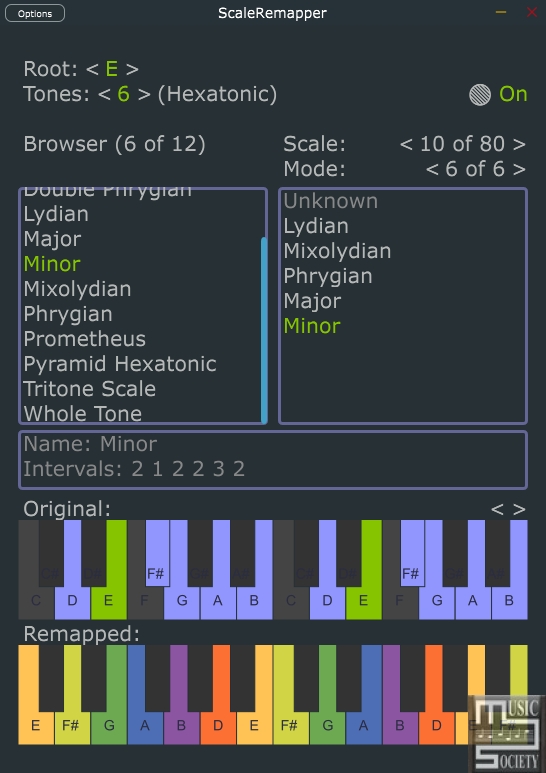
Xivilay ScaleRemapper v0.7.6 Standalone VST3 AU LV2 Win MacOS Linux iOS [FREE]


Routes white keys from midi-input to chosen scale to midi output

Midi only plugin. Remaps white keys of the standard midi-keyboard to any possible music scale.


https://xivilay.github.io/scale-remapper/

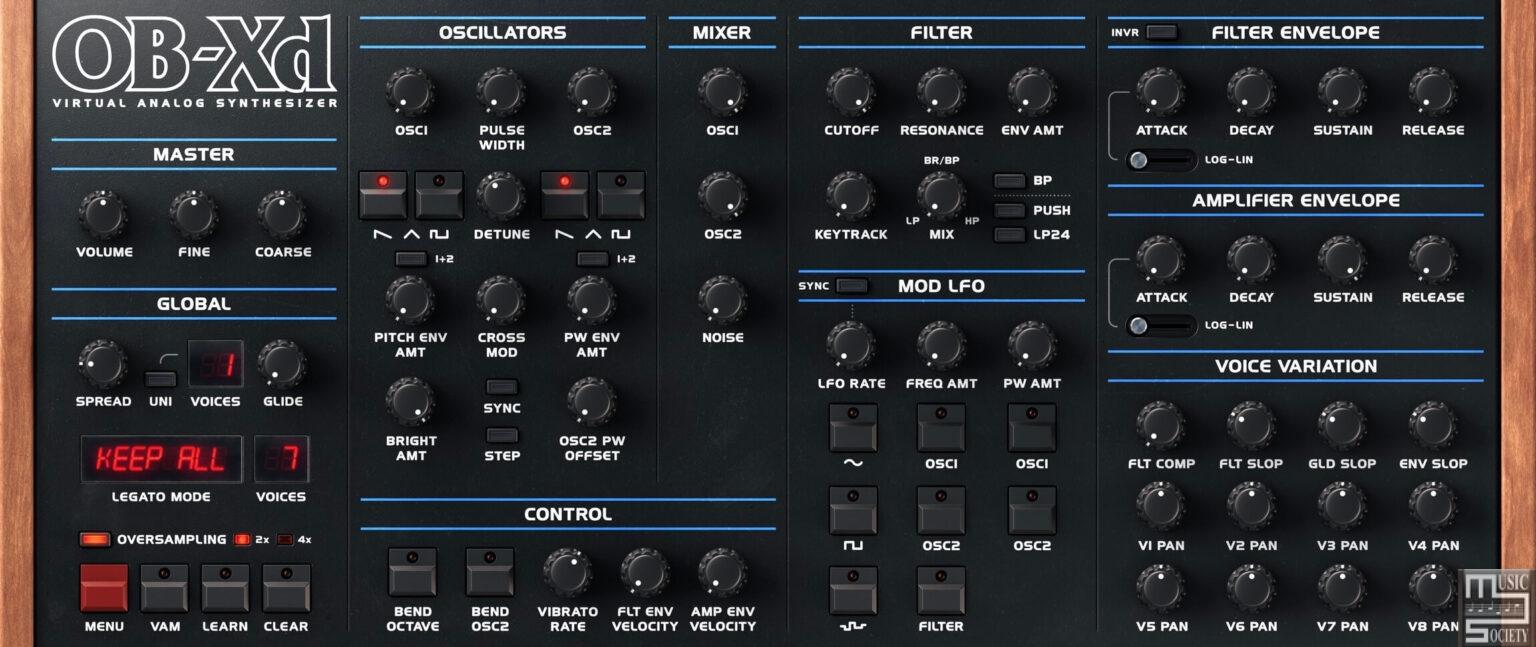
discoDSP OB-Xd v3.5.4 Free Version


OB-Xd is a classic synthesizer with a timeless sound that continues to captivate musicians and producers alike.

With its rich, full-bodied tones and expansive sound design capabilities, the OB-Xd is the perfect choice for those looking to add a vintage touch to their music. Whether you're producing electronic tracks, recording live instruments, or composing for film and television, the OB-X is an invaluable tool that will bring a unique and expressive quality to your sound. So why wait? Add an OB-Xd to your studio today and take your music to the next level!

The OB-Xd is a synthesizer that has been designed to recreate the sound and behavior of the Oberheim OB-X.

However, the original design of the OB-X was limited in some ways, so the OB-Xd includes a number of additional or altered features. One key feature of the OB-Xd is its implementation of micro random detuning, which helps to create a fuller, richer sound. Overall, the OB-Xd has been designed to produce a sound that is as good and as rich as the original OB-X.

Overview:

While not copying originals, some of the features were taken to a better point. Continuous blendable multimode filter (HP-Notch(BP)-HP in 12 dB mode and 4-1 pole in 24 dB mode). Also, like many synths of the OB-X's generation, the OB-Xd has no internal effects so its sounds and textures can be greatly enhanced by the use of additional processing like chorus, reverb, delay, etc.

Additionally, for those interested in micro-tuning, the OB-Xd comes equipped with support for MTS-ESP. This allows for more granular control over your tuning adjustments, perfect for the discerning synth musician.

Free version includes fully functional Standalone app, Audio Unit and VST plug-ins. Registered version delivers both 2.x and 3.x commercial rights1, AAX, VST3, and LV2 plug-ins and technical support to help you get the most out of the software.

System Requirements:

PC: Windows 7 or a newer version.

Mac: macOS High Sierra or a newer version. Works on both x86 and ARM.

Linux: Ubuntu 18 or a newer version.

On Windows and macOS, a one-time internet connection is required to activate the software license. After this, users can use the software offline.

Optimal performance requires an Intel Core i3 (x86) or higher, an Apple Silicon M series (ARM), and a minimum of 4 GB RAM.

The free version of OB-Xd is fully functional, with no major limitations on its features, but it prohibits commercial use.

Free version includes fully functional Standalone app, Audio Unit and VST plug-ins.


https://www.discodsp.com/obxd/


SynthMaster One - FREE

  SynthMaster One Wavetable Software Synth with Easy Workflow Regular Price: $49.00 $0.00  Buy Now  SynthMaster One All Expansions $99.00 $3...