Olá, WORSHIP FANS! Deixo-vos o Vídeo com Explicação e os Links para os Pianos de Adoração, ideais para tocar ao vivo em qualquer Palco...
Arraste Bateria 2 é um instrumento de bateria virtual totalmente gratuito projetado para oferecer sons realistas, poderosos e cheios de expressão em suas produções.
Desenvolvido por Lixa Amostrador Virtual, esta nova versão leva a sua criatividade a outro nível: mais rápido, suave e com total controlo.
Toque. Escolher. Arrastar. Pronto.
Descubra seus 75 padrões predefinidos cobrindo uma grande variedade de estilos musicais.
Ouça-os diretamente dentro do plugin e, quando encontrar o groove perfeito, simplesmente arraste-o para o seu DAW.
Criar uma base rítmica nunca foi tão fácil.
Assuma o controle total da sua bateria a partir dele FXPane.
Ajuste cada elemento —kick, snare, hi-hat, toms, crash e ride— aplicando reverb, compressão, equalização, pitch e muito mais.
Crie seu som ideal com precisão milimétrica e um personagem único.
Abrir o misturar painel e equilibra cada parte da bateria de forma independente, como em um estúdio real.
Ative o modo multicanal e trabalhe diretamente da sua estação de áudio para um fluxo de mixagem mais flexível e poderoso.
Disponível em versões VST, AU e autônomo, pare Windows e Mac.
Quer você produza rock, pop, hip-hop ou música cinematográfica, Arraste Bateria 2 ele lhe dá o som, a sensação e a liberdade que você precisa criar sem limites.
Baixe Arraste Bateria 2 hoje e dê vida aos seus ritmos.
Sua bateria virtual — sem limites e totalmente gratuito.
MineEric64/ Layby - YOUTUBE VST PLUGIN
DOWNLOAD:
https://github.com/MineEric64/Layby/releases
Enjoy!
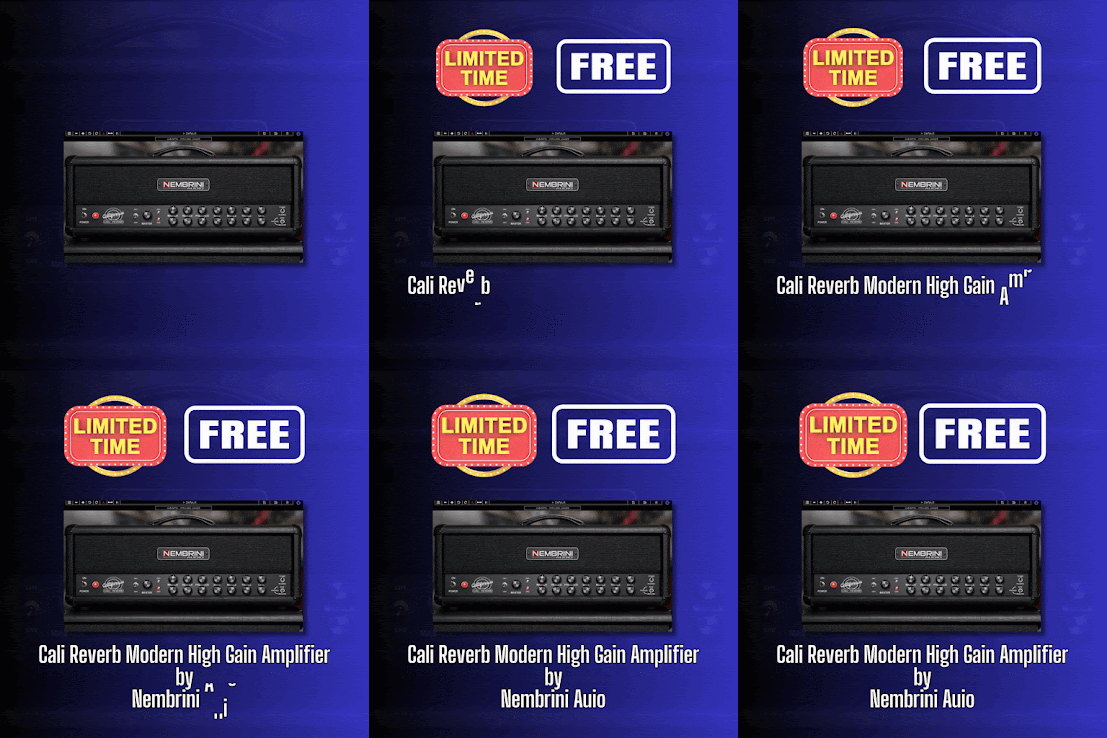
- Nembrini Audio website: https://www.nembriniaudio.com/?srsltid=AfmBOor8lYBioAdAlW7T-7zNp5GrYlvF7Lcz0kwTsYKcn1gDuKT5uMb2
This plugin is excellent. Below are two sound demos made during the previous times the plugin was free for a limited time, as well as instructions on how to get the plugin for free from the website.
"Follow these simple steps to claim your plugin for FREE:
1 - Create a Nembrini Audio account, or log in if you already have one. Click here to go directly to the Create/Login page.
2 - Click this link to proceed directly to checkout.
3 - Once you’ve completed your purchase for FREE, you will receive an email with installation instructions."
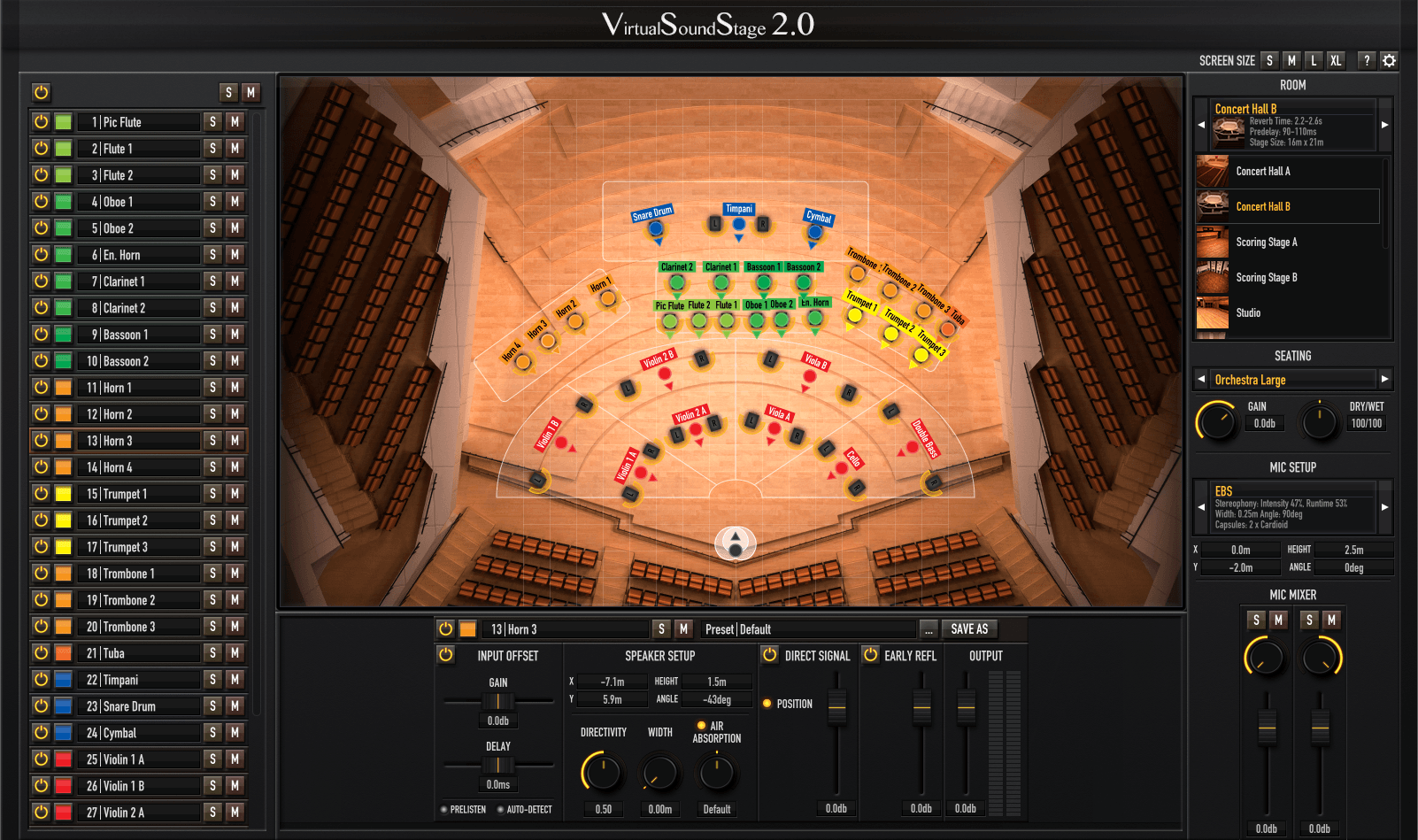
Virtual Sound Stage is an audio-plugin for spatialization of virtual instruments that was originally developed in 2014. Since October 2025 a rebuilt legacy version of the plug-in is available for free.
Features:
Realistic Room Simulation
Every point of a room sounds different. A fact, traditional reverbs don't take into account. By recreating a realistic acoustic environment Virtual Sound Stage brings a new sense of space to your mixes.
Berlin Concert Hall
Unified User Interface
Control all your plug-in instances from a single user interface for a fast and intuitive workflow.
Spaces
Classic concert halls, film scoring stages, recording studios and cathedrals. Virtual Sound Stage comes with a collection of carefully modelled rooms to fit any situation.
Microphone Setups
Choose from a large collection of popular microphone setups and position them freely on the stage to shape the stereo image.
Controls
You get fine control of the most important aspects of the room simulation, so you can fit any sample library or instrument recording into your mix.
Audio plugin manager. Small tool to manage VST / AU / LV2 plugins on Windows, MacOS and Linux. OwlPlug is an audio plugin manager. It provides a complete view of your plugin setup and simple tools to manage it. OwlPlug came from my hate of installing and managing audio plugins. The process is very annoying. I always wanted something simple that looks like dependency managers or online content store. I've started this just for fun... But because it was so simple to install plugins, I've discovered dozens of cool plugins just by using my own tool. So I realized this is not just a different way to install plugins, it's a real opportunity to share and discover awesome free and open sourced plugins developed by the community.
All kinds of feedbacks are greatly welcomed.
Features:
Plugins discovery:
OwlPlug can discover VST2, VST3 and AU Plugins. OwlPlug is compatible with all previously installed plugins as long as they are all in a specific root directory, for example C:/AudioPlugins. Additional directories can be configured if your plugin setup is fragmented on the filesystem.
After downloading Owlplug, you can still organize (add, move, delete, ...) your plugins with a file explorer or with your favorite DAW without breaking anything.
Links creation:
A Link allows you to create and manage symlinks across your filesystem and plugin directories. With Links, you can access directories anywhere on your filesystem (Hard drive, USB keys, custom directories...) through a single root plugin directory. For example, you can configure a link named usb-drive in C:/AudioPlugins to target your usb hard drive D:/myPlugins. All plugins in D:/myPlugins will be accessible using C:/AudioPlugins/usb-drive. This feature may be useful for DAW that scans plugins from predefined or limited number directories. On some Windows version, symlinks creation may require admin privileges.
DAW Projects analysis:
OwlPlug can scan DAW projects to extract referenced plugins. Plugins references in project files are compared to plugins installed in configured directories. This way, users can quickly identify missing plugins required to open projects.
The documentation:
https://github.com/DropSnorz/OwlPlug/wiki/Projects-and-DAW-Support
Explore and download Plugins:
OwlPlug can be connected to several remote sources to download plugins. A Remote Source is a collection of downloadable plugins that can be installed locally. OwlPlug can be configured to use any compatible third-party store in Explore Tab > Sources > Add a new source....
Here are some recommended compatible sources.
OwlPlug Registry ⭐
OwlPlug official plugin registry for Free or Open Source plugins
kind: registry
url: https://registry.owlplug.com/registry.min.json
StudioRack Registry ⭐
Studiorack registry plugins for OwlPlug.
kind: registry
url: https://owlplug.github.io/owlplug-studiorack-registry/registry.min.json
Discover more plugin sources in this wiki page.
How to distribute my plugins on OwlPlug ?
(Recommended) Distribute your plugins using on the official OwlPlug Registry. You can find more information on how to proceed in the registry github repository.
Setup and host a custom remote source to distribute multiple plugins, following the registry specification.
(Deprecated) Setup and host a custom remote source to distribute multiple plugins, following the store specification. The store specification is not actively maintained, you should use the registry spec instead.
home page:
VST Alarm has launched a promotion on a collection of presets for the Vital spectral warping wavetable synthesizer. Vital Calmness by Vici...